This is default featured slide 1 title

Go to Blogger edit html and find these sentences.Now replace these sentences with your own descriptions.

This is default featured slide 2 title

Go to Blogger edit html and find these sentences.Now replace these sentences with your own descriptions.

This is default featured slide 3 title

Go to Blogger edit html and find these sentences.Now replace these sentences with your own descriptions.

This is default featured slide 4 title

Go to Blogger edit html and find these sentences.Now replace these sentences with your own descriptions.

This is default featured slide 5 title

Go to Blogger edit html and find these sentences.Now replace these sentences with your own descriptions.

Tampilkan postingan dengan label EMR. Tampilkan semua postingan

Senin, 12 Maret 2012

SibermedOs 1.0

Tuntutan jaman untuk mengubah budaya kerja berbasis kertas (Paperwork) menjadi tanpa kertas (Paperless) sudah menyentuh ke segala bidang, tak terkecuali bidang kesehatan. Rekam medis elektronik merupakan yang paling hangat dibahas dalam dasawarsa terakhir sebagai salah satu penerapan budaya kerja paperless di bidang kesehatan. Berbagai negara di dunia sudah beralih ke EMR karena memiliki banyak manfaat terutama efisiensi dan efektifitas pelayanan kesehatan kepada masyarakat. SiberMedOS (SiberMedik Operating System) merupakan system operasi sumber terbuka yang termasuk didalamnya sebuah perangkat lunak EMR SiberMRS (Siber Medical Record System), terkemas dalam sebuah flashdisk dan mampu dijalankan di komputer dengan spesifikasi seminimal mungkin.


Download di sini atau sini  

Setelah di download file tersebut diekstrak, nanti menghasilkan file sebesar 3,5 giga, ternyata file ini adalah suatu image hasil backup, kita harus merestorenya ke flashdisk dengan perintah dd
  • Siapkan flashdisk sebesar 4 giga
  • Colokin ke komputer dengan sistem linux yang sudah terinstall ddrescue
  • Buka konsole atau terminal detek letak flashdisk dengan perintah dmesg, dalam hal ini flashdisk terdeteksi di sdd 
  • Buka konsole/ terminal, file hasil ekstrakan saya letakan di /home/arch/smos, masukan perintah:
        sudo dd if=/home/arch/smos of=/dev/sdd bs=1024
  • Tunggu prosesnya sampai selesai
  • Setelah selesai, silahkan booting dengan flashdisk yang kita bikin tadi
  • Setelah masuk desktop ternyata SiberMRS ini dibuat berbasiskan distro Puppy Linux Lucid Puppy, untuk memulai SiberMRS, klik icon SiberMRS di desktop
  • Masukan username admin, password test
 

    • Setelah login anda akan dihadapkan pada form pergantian password, ganti password yang tadi dengan password anda
    •  
    • Bersambung ....
    • Selamat mencoba !!!

    Sumber: http://sibermedos.rekansejawat.com/

    Sabtu, 21 Januari 2012

    MyRemisal Ver.1, Sistem Informasi Rekam Data Medik Rumah Sakit Khusus Ibu dan Anak


    Download: http://adf.ly/5Kdzp

    Software ini merupakan karya anak bangsa Indonesia yang diperuntukan untuk rumah sakit ibu dan anak. 
    Aplikasi Client Server, Terdapat fasilitas eksport data ke word, Xml, pdf, rtf, ODT, SQl dll. Transaksi Registrasi Pasien bisa menggunakan Barcode(Kartu Periksa menggunakan Barcode).  Untuk sementara baru tersedia versi windows, untuk versi linux nanti menyusul, untuk login pakai user 1, password 1, setelah login silahkan ganti passwordnya

    Cara Instalasi: 
    1. Ekstrak file hasil downloadan tadi, sehingga menghasilkan folder Khanza Hms
    2. Masuk ke folder tersebut, jalankan Khanza HMS.exe

    Pilih English > OK

    Next
    Jika di sistem belum terinstall java virtual machine, maka kita harus nginstall dulu


    Next

    Proses instalasi berlangsung

    Instalasi Java Virtual Machine selesai


    Instalasi MyRemisal
     Next
    Install


    Instalasi WAMP5 Server, Next

    Pilih I accept, Next

    Next

    Next

    Next

     Install

     Proses instalasi berlangsung

    Yes

    Pilih Lauch WAMP5 now, finish

    Proses instalasi selesai, pilih Run Khanza HMS 2011 untuk menjalankan program secara langsung

    Buka phpmyadmin
    Buat database dengan nama sik
    Import file sik.sql

    Jalankan software khanza HMS dari start menu
    Klik login
    Username: 1
    Password 1


    Setelah masuk kita disuguhi menu-menu, silahkan di atur sesuai dengan kebutuhan. Selanjutnya saya akan mencoba mereview software ini apakah sesuai dengan kebutuhan.
    Kalau pasien ke rumah sakit sebelum berobat tentunya mereka harus daftar dulu ke pendaftaran, kita lihat menu pendaftaran yang disediakan oleh software ini, pilih menu Pasien > Pasien Umum


    •  No. rekam medis langsung otomatis diberikan oleh sistem, bisa juga kita ketik manual
    • Tanggal lahir kita harus memulih dari menu drop down, seharusnya kita juga bisa mengetik manual dengan format tgl/bln/tahun, sehingga agak merepotkan juga kalau ternyata pasiennya sudah tua, selain itu juga kadang-kadang ada pasien yang lupa tanggal lahirnya, mungkin bisa disediakan kolom untuk umur, jadi biarkan software yang mengestimasi sendiri tanggal lahir pasiennya
    • Pada menu pencarian pasien di kolom Key Word kita bisa mencari pasien berdasarkan nama, no rekam medis ataupun no identitas
    Setelah daftar pasien menuju ke poli yang dituju misal disini kita ke poli penyakit dalam

    Sumber: http://adf.ly/5Ke2w

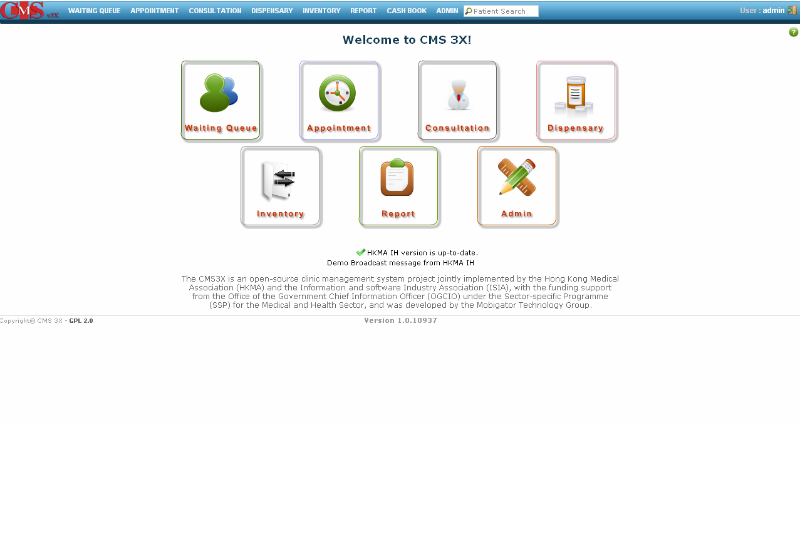
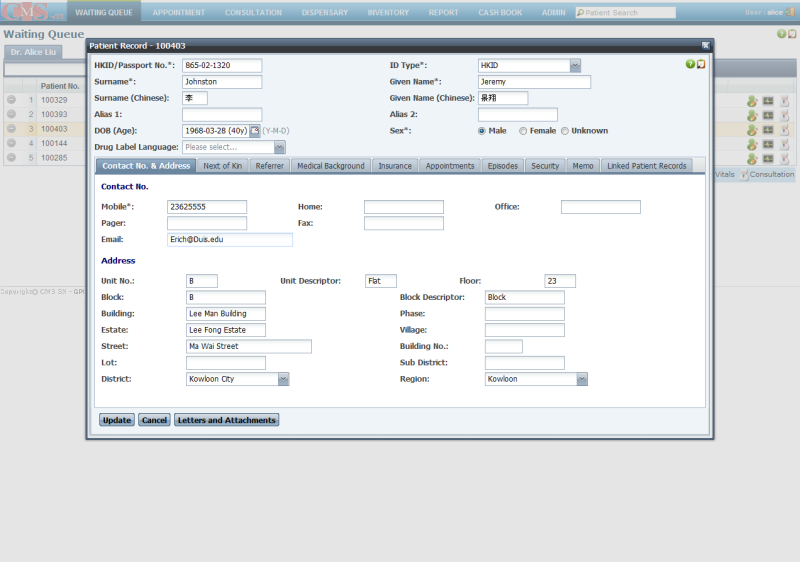
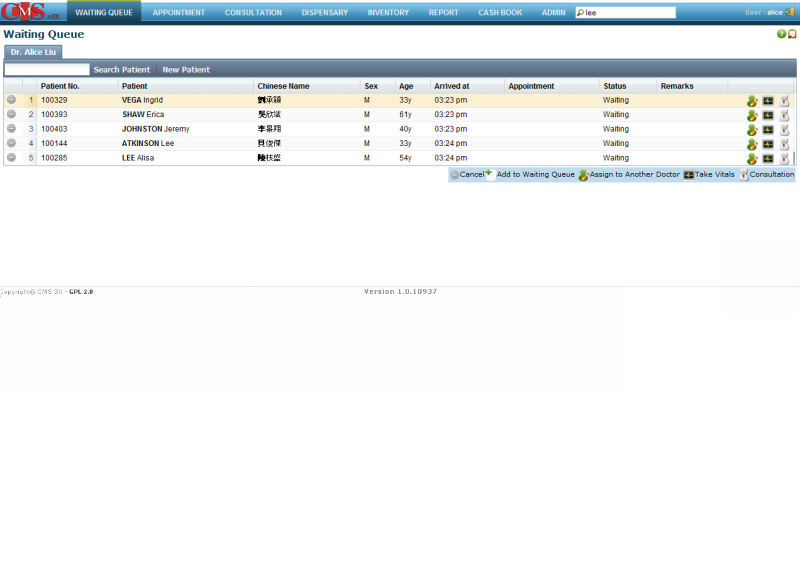
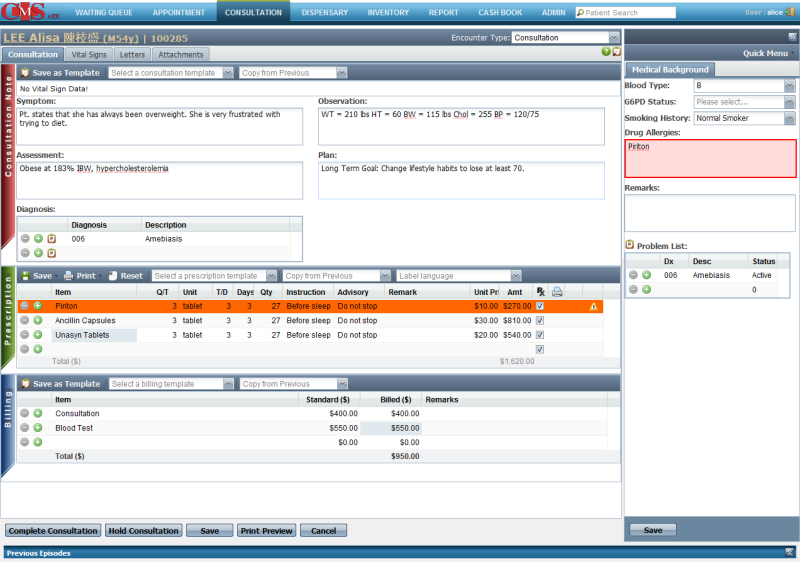
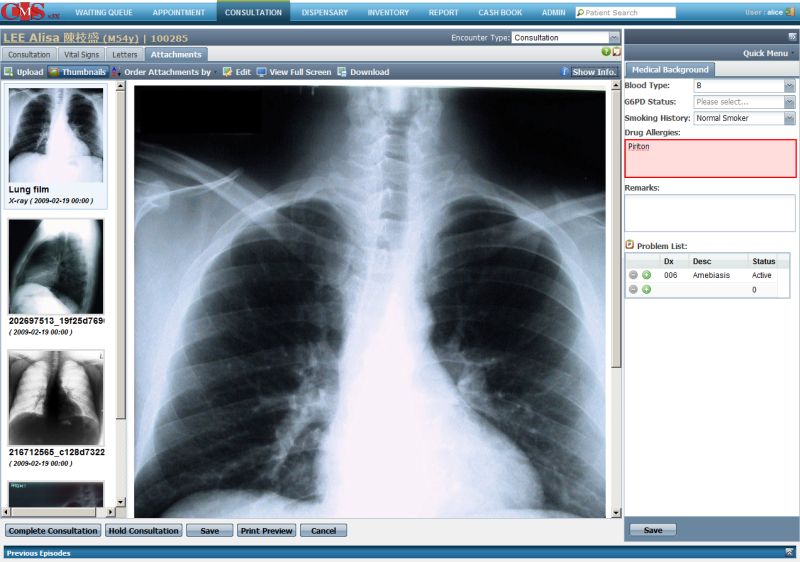
    CMS 3X (Clinic Management System): Software Rekam Medis Gratis Dan Powerfull

    Bagi dokter atau klinik yang membutuhkan software buat rekam medis yang gratis dan powerfull bisa pake software CMS 3X (Clinic Management System). CMS 3X ini di kembangkan oleh Mobigator technology Hongkong dengan lisensi opensource, sehingga kita bisa memakai dan merubah kode sumbernya. 
    Beberapa tangkapan layarnya:


    Software ini berjalan di Linux dan Windows, saya sudah ngetes di sistem Ubuntu 10.04 dan Ubuntu terbaru 11.10, bagi anda yang tertarik silahkan download di http://adf.ly/5Ke70

    Selamat mencoba !!!


    Kamis, 04 Desember 2008

    PatientOS - an Open Source (GPL) Healthcare Information System

    PatientOS (pronounced Patient-oh-es where O and S stand for Open Source) has been designed from the outset to be a Healthcare Information System (HIS). The software architecture, design patterns and framework has been built for the complexities and challenges of an enterprise wide information system.

    Internationalization, and localization is expected, even translation into multi-byte languages such as Japanese.
    Why Choose PatientOS?

    Healthcare is a noble field and clinicians deserve software which is of the same quality as other industries. PatientOS was designed to address the prevalent industry issue with todays software:

    * User friendly? PatientOS has been designed to optimize the experience of clinicians by making functions fast, easy and simple to customize to the workflow of the users. The right default values, consistent layout, the fewest clicks, use the keyboard, and scripting behind the scenes to save work and automate actions.
    * Fits your workflow? Rather than decide how clinicians must use the system the screens, process and workflow can be tailored to a user, role, clinic or hospital. The system will support and NOT CHANGE your best practices.
    * Enjoy Upgrades? Users and system administrators often fear upgrades. The PatientOS upgrade process is fast and simple. Due to key specifics of the architecture the database schema, code and content are synchronized in a natural way that minimizes programming errors surfacing after upgrades.
    * Functionality Coming Soon? As information systems mature they become larger and more complex and require more and more resources to get new functionality in without breaking existing functionality. PatientOS has been carefuly designed to grow to the largest size while remaining functional and enjoyable to maintain.
    * Open Source? With Open Source there code quality is transparent, open for all to see. This adds a lot of value for support companies and healthcare analysts to troubleshoot and gain true knowlege of the system functionality.
    * Support? With PatientOS more and more companies will support the software allowing you the freedom to choose who you wish to do business with.
    * Cost? PatientOS is free.
    * Free? PatientOS is Free to download. Free to own. Free to distribute. Free to sell or re-sell. In fact we will help any company with their sales. Of course there is no free lunch as you still have hardware costs and the time for you (or someone you pay) to install and support the software. However PatientOS is designed to require the minimum amount of maintenance to ensure support costs are as low as possible. Note that PatientOS integrates (optionally) with some of finest commercial drug and code database which do have licensing costs.

    Download : http://www.patientos.org